Dataset
Data Format
For the 2026 challenge, we provide the following datasets hosted on HuggingFace:
Raw HDF5 replay data. 2026-challenge-rawdata contains the original raw HDF5 data for the 20k teleoperation demos and is 1.44 TB in total. These files contain everything needed to replay exact trajectories in OmniGibson. Use them with OmniGibson/scripts/learning/replay_obs.py to replay trajectories and collect additional visual observations.
LeRobot demo dataset. 2026-challenge-demos contains 20,000 human-collected teleoperation demos across 100 tasks and is 3.27 TB in total. It follows the LeRobot V3 format with customizations for better data handling.
The demo dataset has the following structure:
| Folder | Description |
|---|---|
annotations |
Language annotations for each episode. |
data |
Low-dimensional data, including proprioceptions, actions, camera poses, and related episode data. |
meta |
Metadata folder containing episode-level information. |
videos |
Visual observations, including RGB and depth. |
The dataset includes 2 visual modalities: RGB (rgb) and Depth (depth_linear):
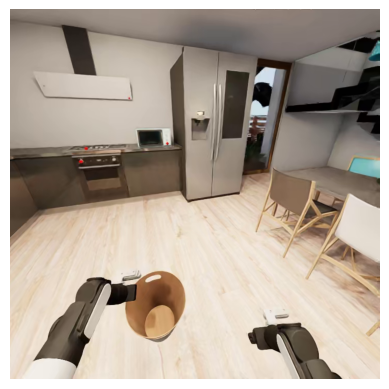
RGB
RGB image of the scene from the camera perspective.
- Shape
(height, width, 4)- Type
numpy.uint8- Resolution
- 720 x 720 head camera; 480 x 480 wrist cameras
- Range
- [0, 255]
Depth Linear
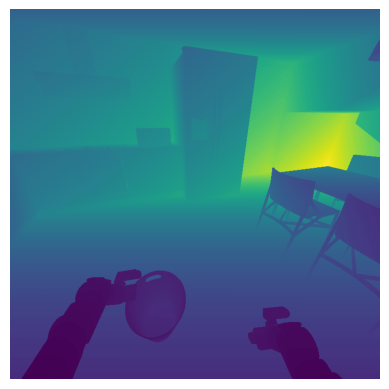
Distance between the camera and scene geometry, with measurement linearly proportional to actual distance.
- Shape
(height, width)- Type
numpy.float32- Encoding
- Depth videos are log-quantized during replay and dequantized back to metric depth values.
- Range
- [0, 10] meters
Dataset Statistics
| Metric | Value |
|---|---|
| Total Trajectories | 20,000 |
| Total Tasks | 100 |
| Total Skills | 270,600 |
| Unique Skills | 31 |
| Avg. Skills per Trajectory | 27.06 |
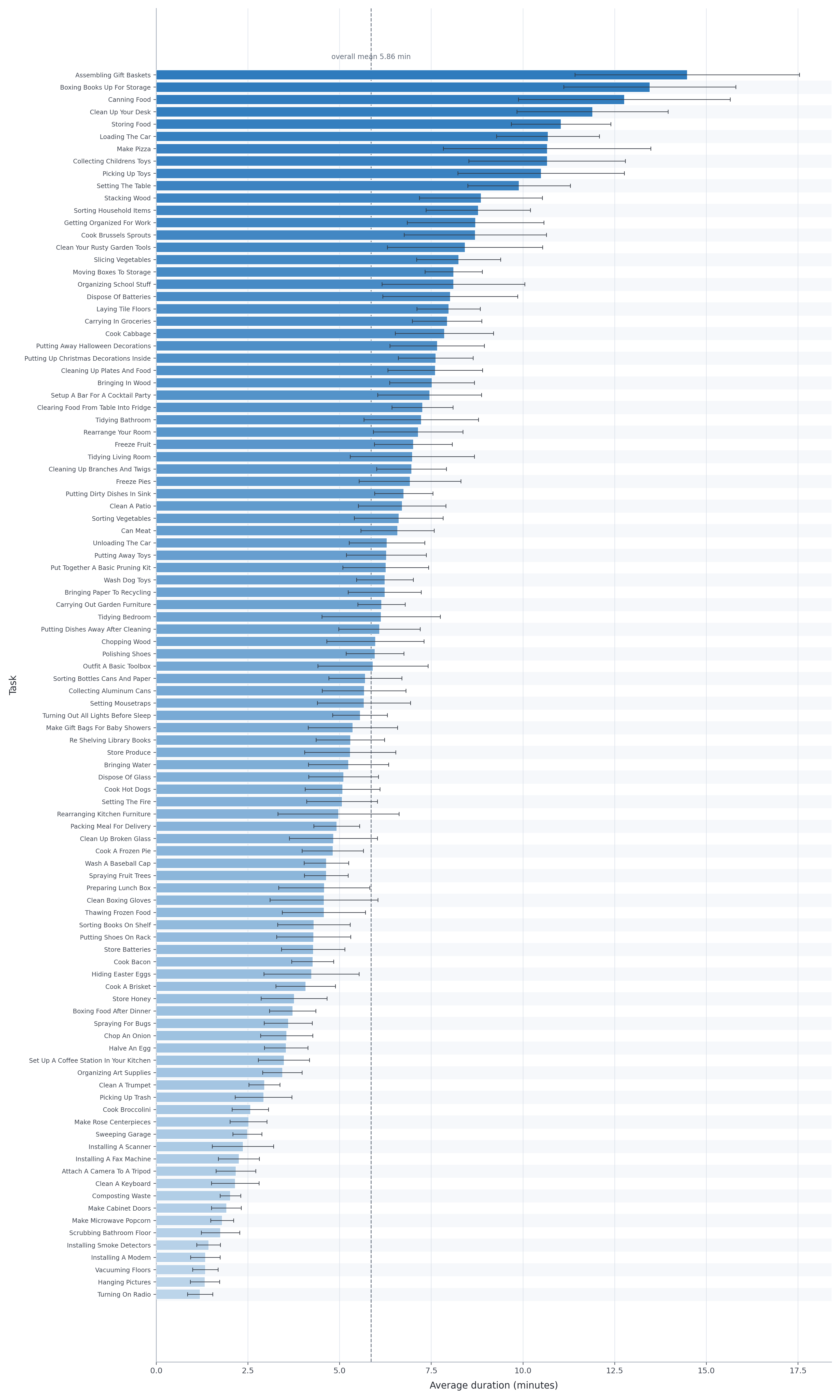
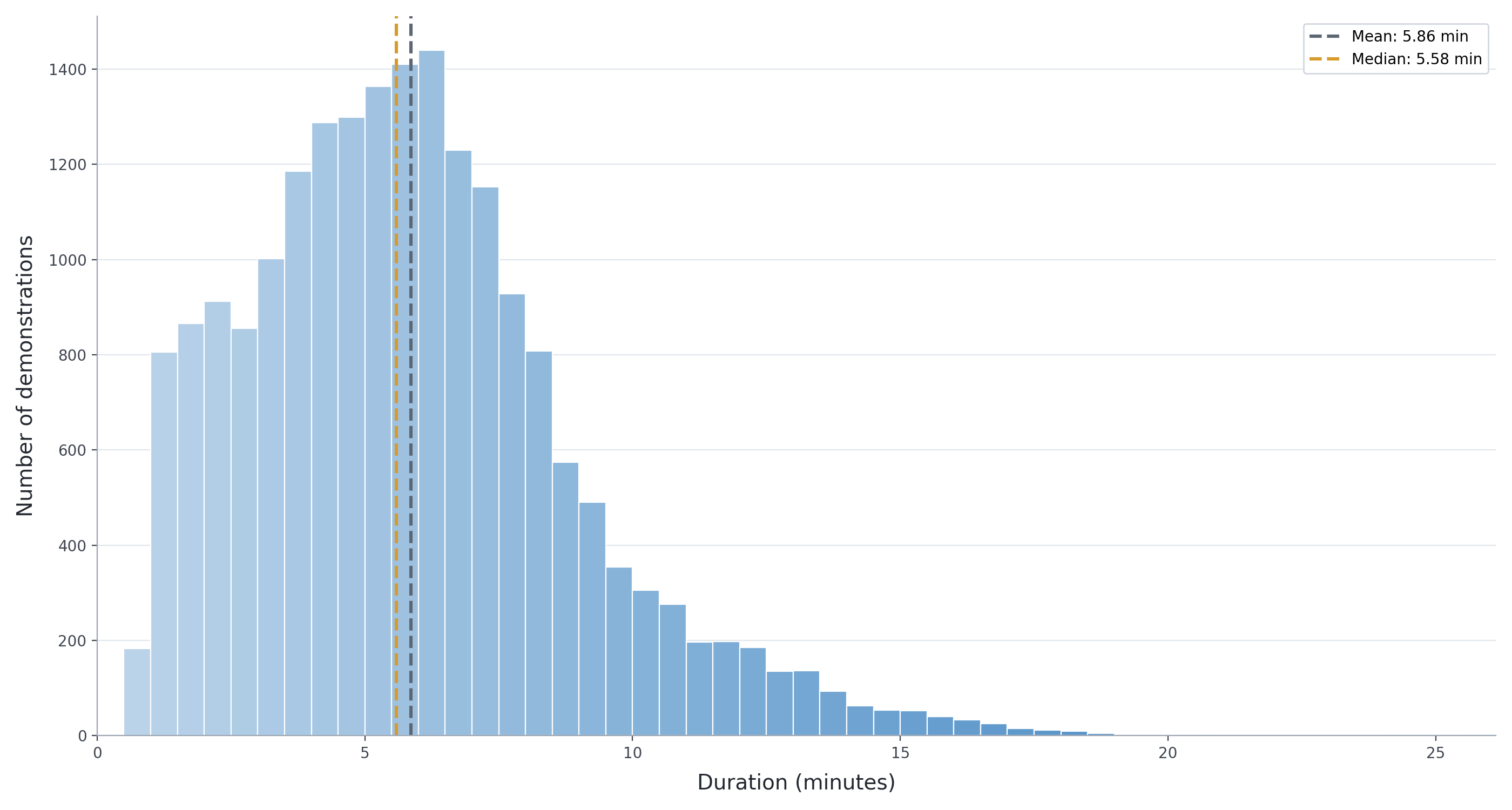
| Avg. Trajectory Duration | 351.54 seconds / 5.9 minutes |
Show unique skills breakdown
- attach
- chop
- close door
- close drawer
- close lid
- hand over
- hang
- hold
- ignite
- insert
- move to
- open door
- open drawer
- open lid
- pick up from
- place in
- place in next to
- place on
- place on next to
- place under
- pour
- press
- push to
- release
- spray
- sweep surface
- tip over
- turn off switch
- turn on switch
- turn to
- wipe hard
Overall Demo Duration
Per Task Demo Duration